

acme.com/blog to Notra with Framer’s Multi Site rewrites, which proxy a path of your Framer site to an external origin. Read the steps on every platform first, and replace acme.notra.site with the Notra address on your site’s Domains page.
Multi Site needs Framer’s Advanced Hosting, an add-on to the Pro plan that’s included in Enterprise. It comes with 6 rewrites, and each section takes 2. Without it, Add opens an upgrade dialog, so use a subdomain instead.
1
Open Multi Site
Open your Framer project’s Site Settings and select Hosting → Multi-site. The list starts with the Default row, which is your Framer project itself.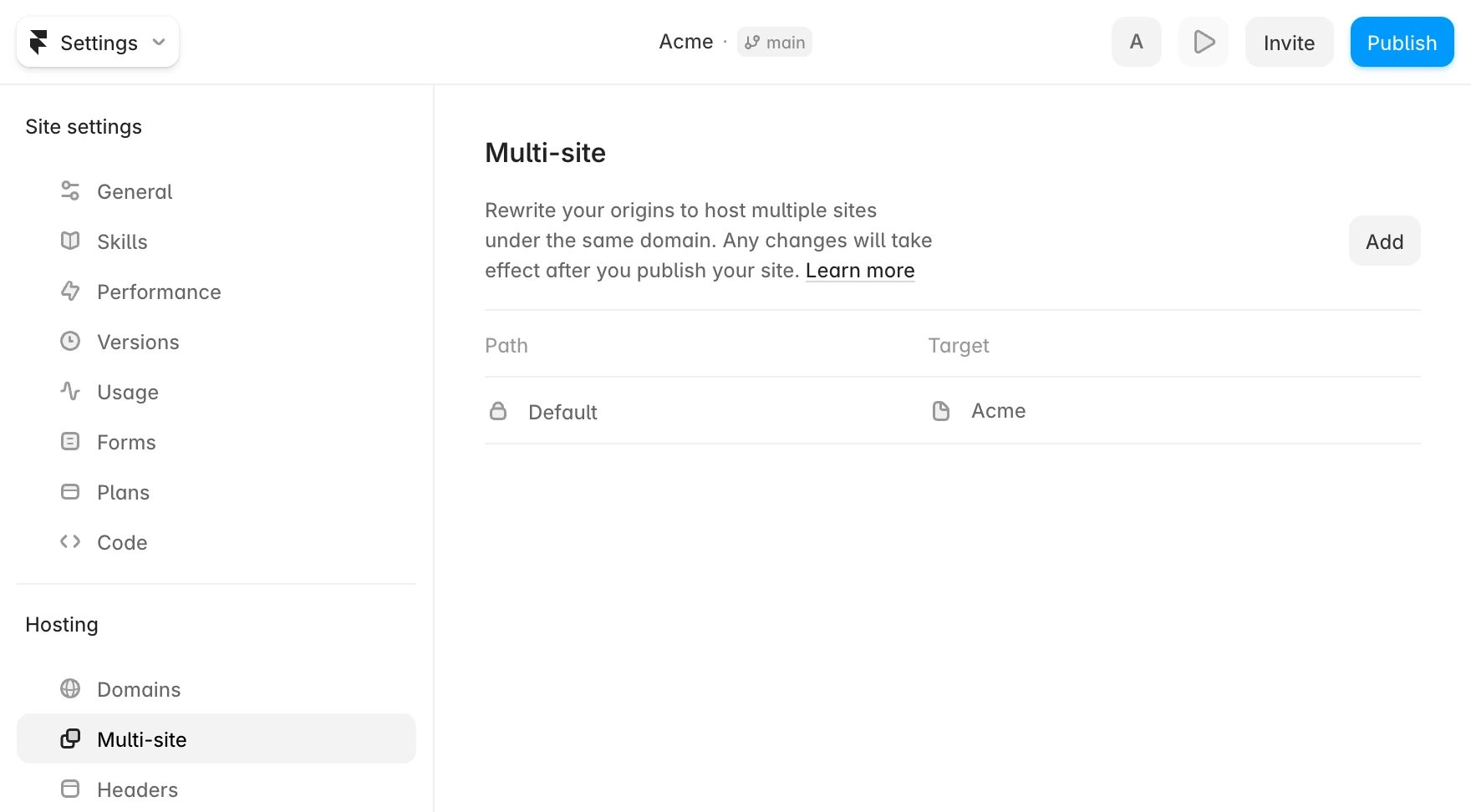
2
Add the rewrites
Click Add once for each row, enter the path, choose the type External, enter the URL and click Add: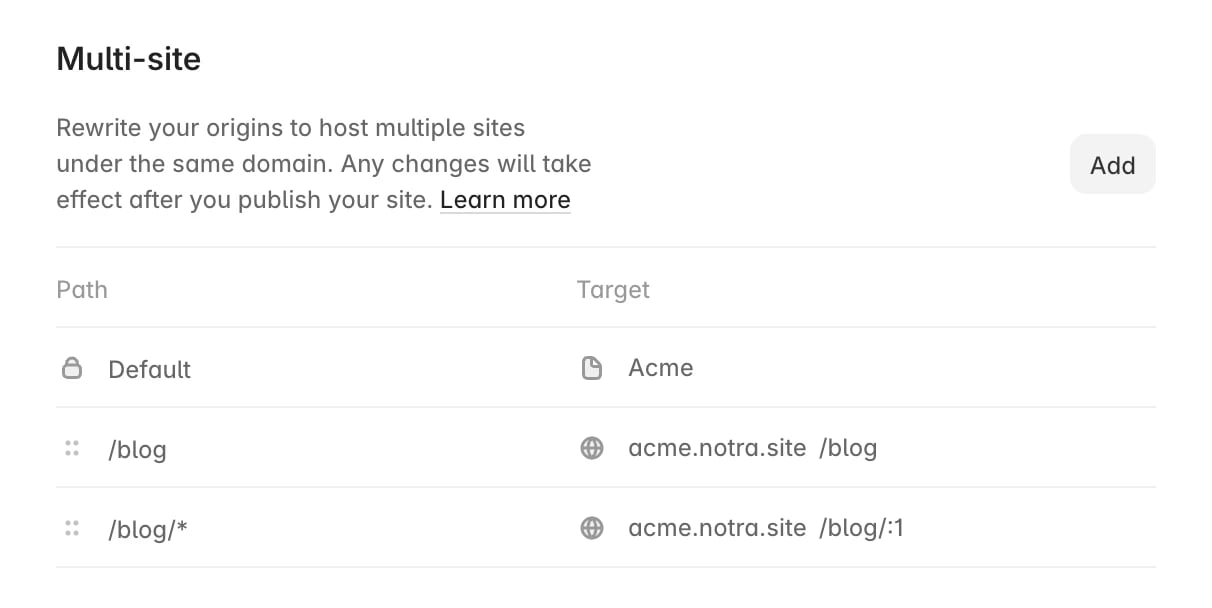
/blog/* doesn’t match /blog itself, so each section needs both rules. :1 inserts what * matched, which keeps the path as it is. Framer uses the first rule that matches, so drag these above any catch-all rule like /*.If your site also has a changelog, add the same two rules for its path, for example /changelog and /changelog/*. Skip them otherwise, because a rewrite replaces any Framer page at that path.3
Publish and check
Click Publish, because rewrites take effect only when you publish the project. Open
https://acme.com/blog/_notra/probe.txt to confirm the rule works, then click Check on the domain in Notra.Limits to keep in mind
- Framer pages under
/blog. A rewrite wins over a Framer page at the same path, so delete or rename any Framer page under/blog, or it still shows up in Framer’s sitemap. - Sitemap. Framer merges the sitemaps of rewrite origins into its own. If the posts don’t show up in
https://acme.com/sitemap.xml, submithttps://acme.com/blog/sitemap.xmlin Google Search Console. - Custom headers you set under Hosting → Headers for
/*, such asContent-Security-PolicyorX-Robots-Tag, also apply to/blog. Don’t addX-Robots-Tag: noindexthere, because the check fails on it. - Navigation links. Link from your Framer navigation with the full URL, for example
https://acme.com/blog, because Framer replaces relative links to pages that aren’t in the project. - Analytics. Framer’s own analytics only count the main project, so visits under
/blogshow up in Notra’s site analytics instead. - Cookies. Framer forwards your visitors’ cookies to the rewrite target, so cookies your site sets for
/, such as a login session, also reach Notra. Notra ignores them and doesn’t store them, but scope sensitive cookies to the paths that need them.