

https://mcp.usenotra.com/mcp (streamable HTTP) so AI agents can work with your workspace directly. Connected agents can manage brand identities, generate and edit content, connect integrations, manage schedules, chats and skills, and run the full GEO surface: projects, prompts, competitors, scans, visibility, content briefs, agent readiness, and AI traffic.
This page covers two different things:
- Notra’s MCP server: give an AI client (Claude, Cursor, ChatGPT, Codex, and others) access to Notra.
- External MCP servers: give Notra’s chat agent access to your own tools by connecting servers under Integrations > MCP Servers.
Authentication
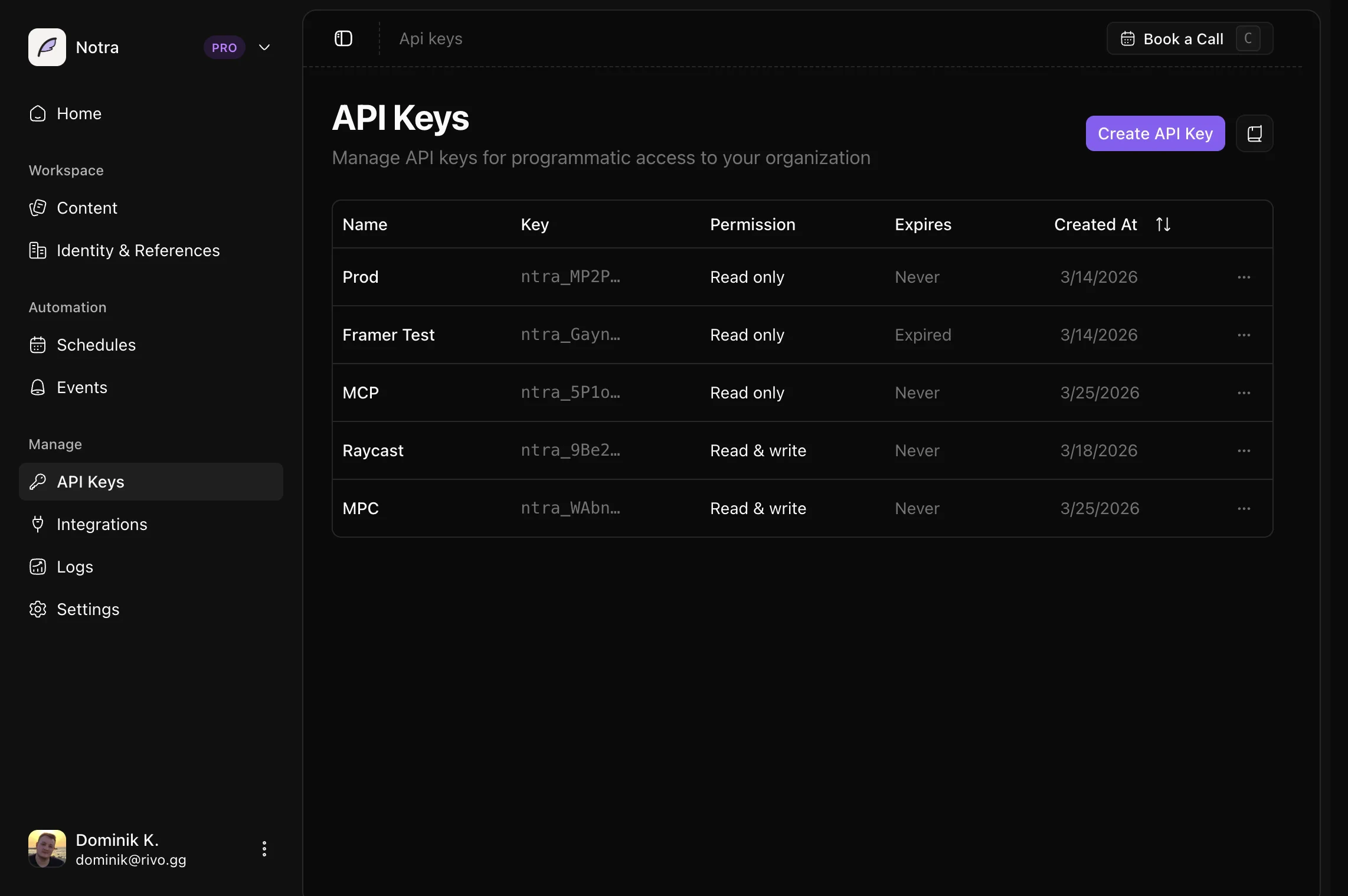
The server accepts bearer credentials in theAuthorization header. Two kinds work: an OAuth access token, or a Notra API key.
- OAuth (recommended for interactive clients)
- API key (headless and CI)
Use OAuth when a person is in the loop: Claude, Cursor, ChatGPT connectors, and any client that supports OAuth discovery. You add the server URL, the client opens a browser, you sign in to Notra and pick an organization, and the client stores the token.Clients discover everything from the protected resource metadata:That document lists the authorization server (Permissions like
https://oauth.usenotra.com), the supported scopes, and the bearer method. The authorization server supports dynamic client registration, client ID metadata documents, the authorization code flow with PKCE, and refresh tokens. The API mirrors the same metadata at https://api.usenotra.com/.well-known/oauth-protected-resource and https://api.usenotra.com/.well-known/oauth-authorization-server.Request these two scopes and nothing else:posts.read or projects.write are not OAuth scopes, and asking for them fails with invalid_scope. You pick the organization and an access level (Read only, Write only, or Full access) on the consent screen instead. Notra signs that choice into the access token and maps it to the same permissions API keys use, so the session acts as you, in that organization, with that access level.Access tokens are short-lived. Clients should include
offline_access in the requested scope so they receive a refresh token; without it the connection drops when the access token expires and you have to sign in again.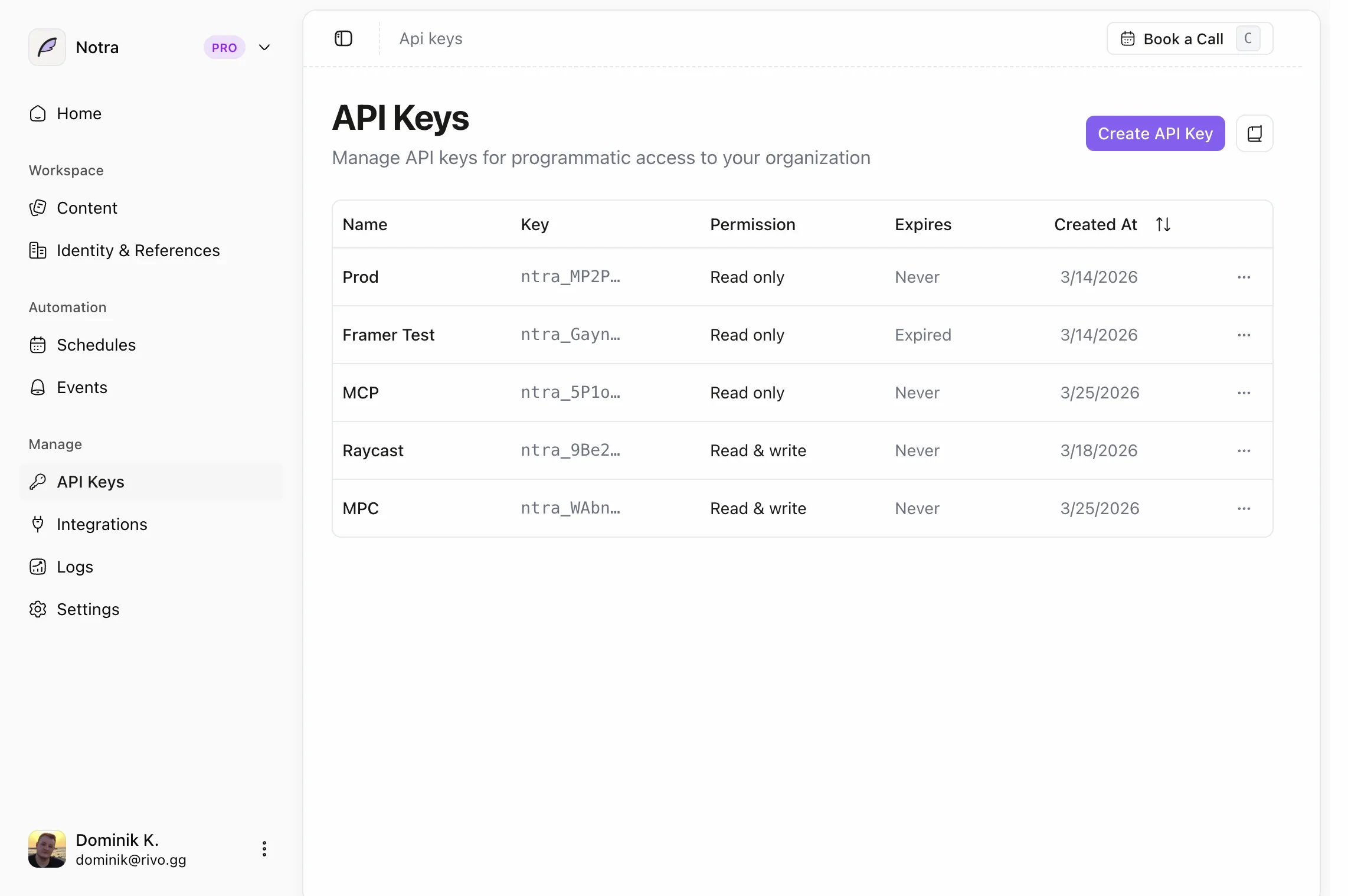
Connect an AI client
With OAuth
Add the server URL without any headers. The client detects the OAuth metadata and opens the sign-in flow.https://mcp.usenotra.com/mcp and complete the sign-in when prompted.
With an API key
If your client supportsadd-mcp, install the server with a header override:
Local stdio server
The same server is published on npm as@usenotra/mcp for clients that only speak stdio. It needs Node.js 20 or newer and an API key in NOTRA_API_KEY:
Available tools
Tool names are exactly as the server registers them; some clients prefix them with the server name. Postslist_postsget_postupdate_postdelete_postgenerate_postget_post_generation_status
update_post changes the title, slug, or markdown of a blog post or changelog with a linked GitHub pull request, Notra saves the article and updates that PR using the same publishing logic as the dashboard. It does not create a new PR. Status-only changes do not trigger a GitHub update.
If the PR update fails, the tool returns an error stating that the post was saved in Notra. A rate-limited GitHub sync returns 429 with Retry-After; wait before retrying the content update. A timeout returns 504 with an unknown sync outcome: the PR update may still finish, so check the PR before retrying. Check the PR after other unconfirmed sync errors as well. A closed or merged PR must be resolved in the dashboard before it can be synced again.
Brand identities
list_brand_identitiesget_brand_identityupdate_brand_identitydelete_brand_identitygenerate_brand_identityget_brand_identity_generation_status
list_integrationscreate_github_integrationdelete_integration
list_schedulescreate_scheduleupdate_scheduledelete_schedule
list_chatsget_chatget_chat_by_external_channelcreate_chatpost_chat_message
list_skillsget_skillcreate_skillupdate_skilldelete_skill
list_projectsget_projectcreate_projectupdate_projectdelete_projectget_geo_settingsupdate_geo_settings
list_geo_promptscreate_geo_promptupdate_geo_promptdelete_geo_promptimport_geo_promptslist_geo_sequencescreate_geo_sequenceupdate_geo_sequencedelete_geo_sequencerun_geo_sequence
list_geo_competitorsupsert_geo_competitorsuggest_geo_competitorsdelete_geo_competitorimport_geo_competitors
create_geo_scanlist_geo_scansget_geo_scanget_geo_visibility_overviewget_geo_visibility_timeseriesget_geo_prompt_resultsget_geo_competitor_shareget_geo_language_shareget_geo_competitor_detail
list_geo_content_gapslist_geo_content_briefsplan_geo_content_briefget_geo_content_briefapprove_geo_content_brief
get_geo_agent_readinessstart_geo_agent_readiness_scan
get_geo_traffic_overviewget_geo_traffic_loglist_geo_traffic_journeysget_geo_traffic_journeylist_geo_traffic_pagesget_geo_ingest_setupissue_geo_ingest_tokenrotate_geo_ingest_token
submit_feedbacksends a bug report, feature request, question, or praise to the Notra team. It needs no credentials. See Agent feedback.
Connect external MCP servers to Notra
This is the reverse direction: Notra’s chat agent can use tools from MCP servers you run or subscribe to. Open Integrations > MCP Servers in the dashboard (or pressC on that page) and add a server.
1
Describe the server
Give it a name, the server URL (for example
mcp.example.com/mcp), and a short description of what tools or context Notra should use it for. The description helps the agent decide when to reach for the server.2
Choose authentication
Pick one of three options:
- None for public servers without credentials.
- API key to send one or more custom headers, such as
Authorization: Bearer .... - OAuth to sign in with the server’s own OAuth flow. Notra opens the authorization page in a popup.
3
Test and save
Notra tests the connection before saving and reports whether it could reach the server. With OAuth, the button reads Connect & Authorize and the server is saved once authorization completes.
Composio
If you want to use the Notra MCP server through Composio, upvote the request at request.composio.dev/boards/tool-requests/posts/notra. That helps the Composio team see demand for a Notra integration.Notes
- Prefer OAuth for personal clients so tokens rotate and can be revoked per session.
- Keep API keys in a server-side or local secret store; do not commit MCP config files that contain live bearer tokens.
- Revoke and replace a key immediately if it is exposed.