

Prerequisites
- Access to a Featul workspace.
- Your Notra Organization ID.
- A Notra API key with read access to posts (
posts.read).
Connect Notra to Featul
- In Featul, open the Changelog page.
- At the top of the page, click Import from Notra.
- In the import dialog, enter your Organization ID and API key from Notra.
- Optional: enable Save encrypted connection if you want Featul to reuse these credentials.
- Click Sync Now to start the import.
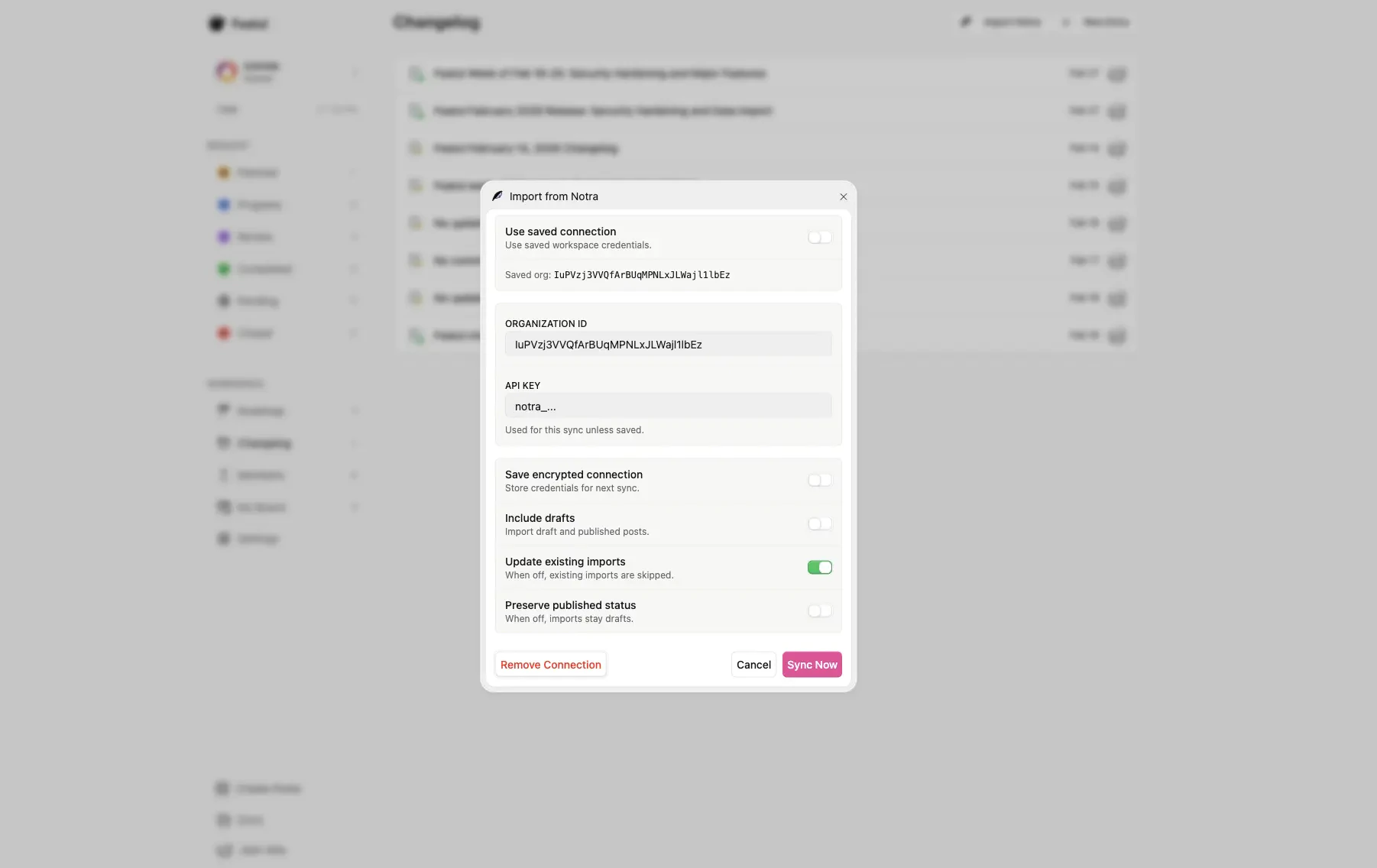
Where to find your Notra credentials
- Open the Notra dashboard and select your organization.
- Copy the Organization ID from Settings > General.
- Create an API key under API Keys in the sidebar. Read access to posts is enough.
- Return to Featul and paste both values into the Import from Notra dialog.
Notes
You can import both draft and published content by enabling Include drafts.
You can update previously imported entries by enabling Update existing imports.
Questions about the import dialog itself go to Featul. Questions about API keys or the posts API go to Notra support.