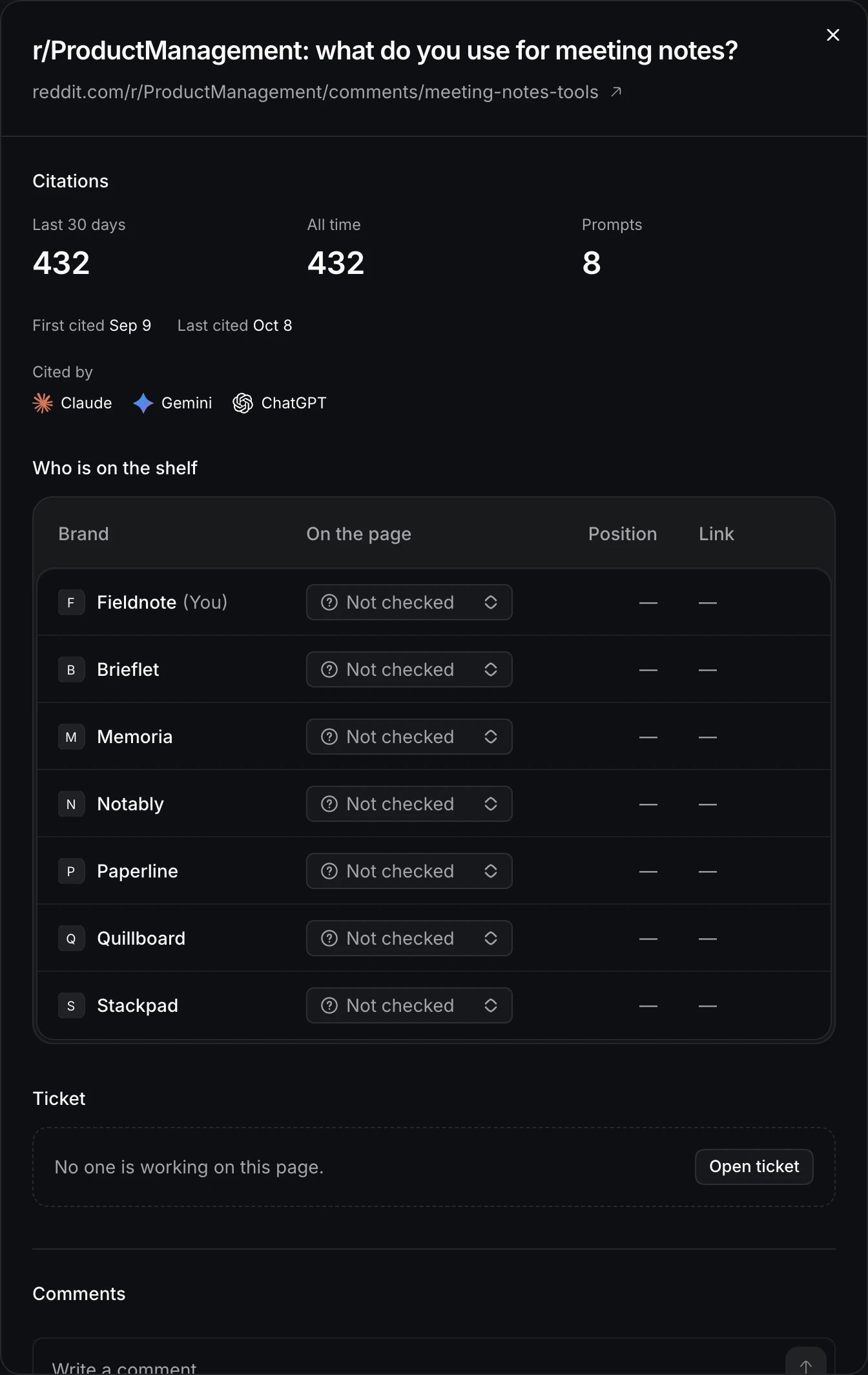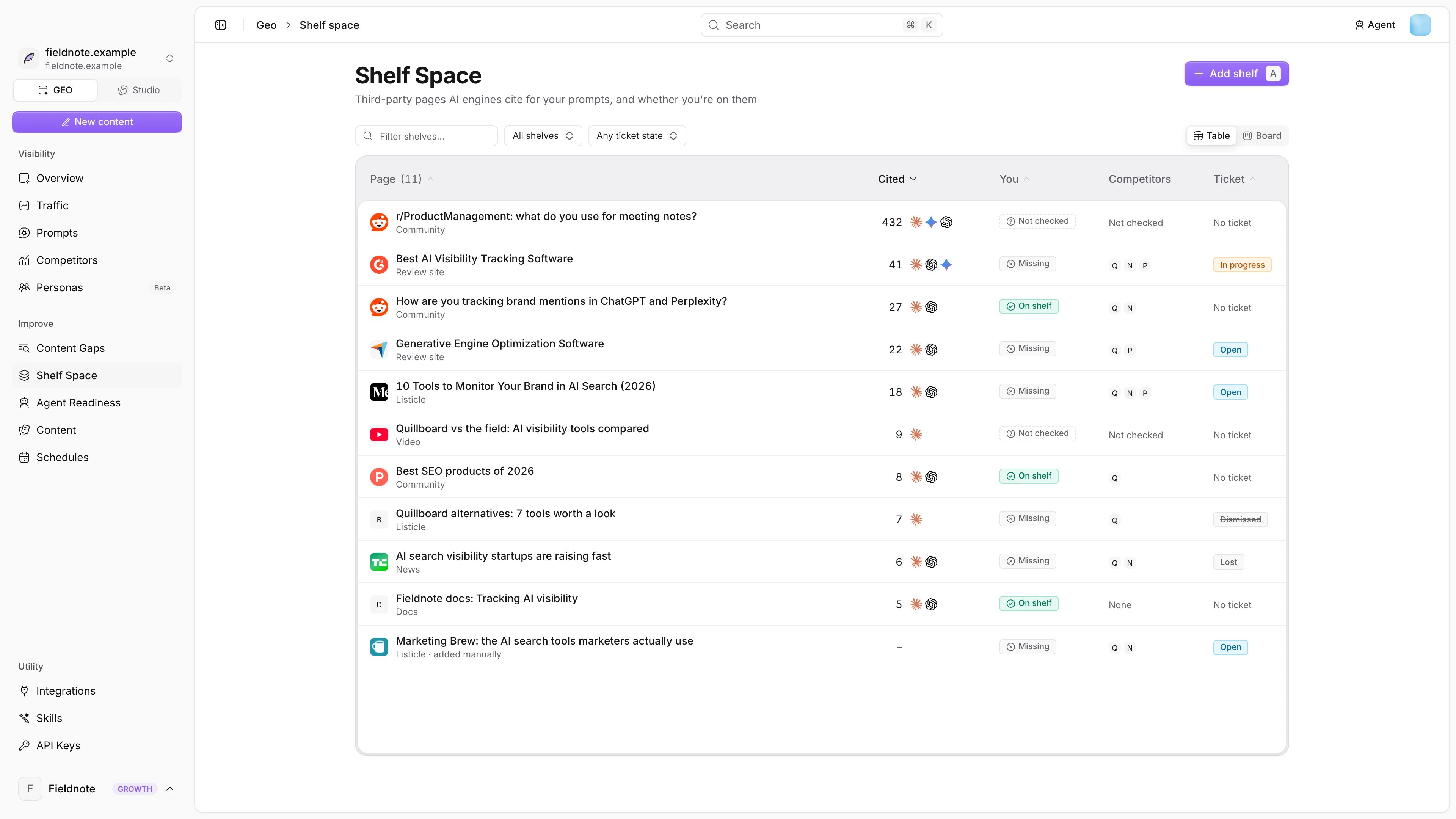
When engines recommend products, they rely on a small set of pages: review sites, “best tools” listicles, community threads and news. If those pages list competitors and not you, engines recommend the competitors, so Shelf Space finds those pages and lets your team open a ticket for each one. Shelf Space board with cited third-party pages Shelf Space board with cited third-party pages

What a shelf is

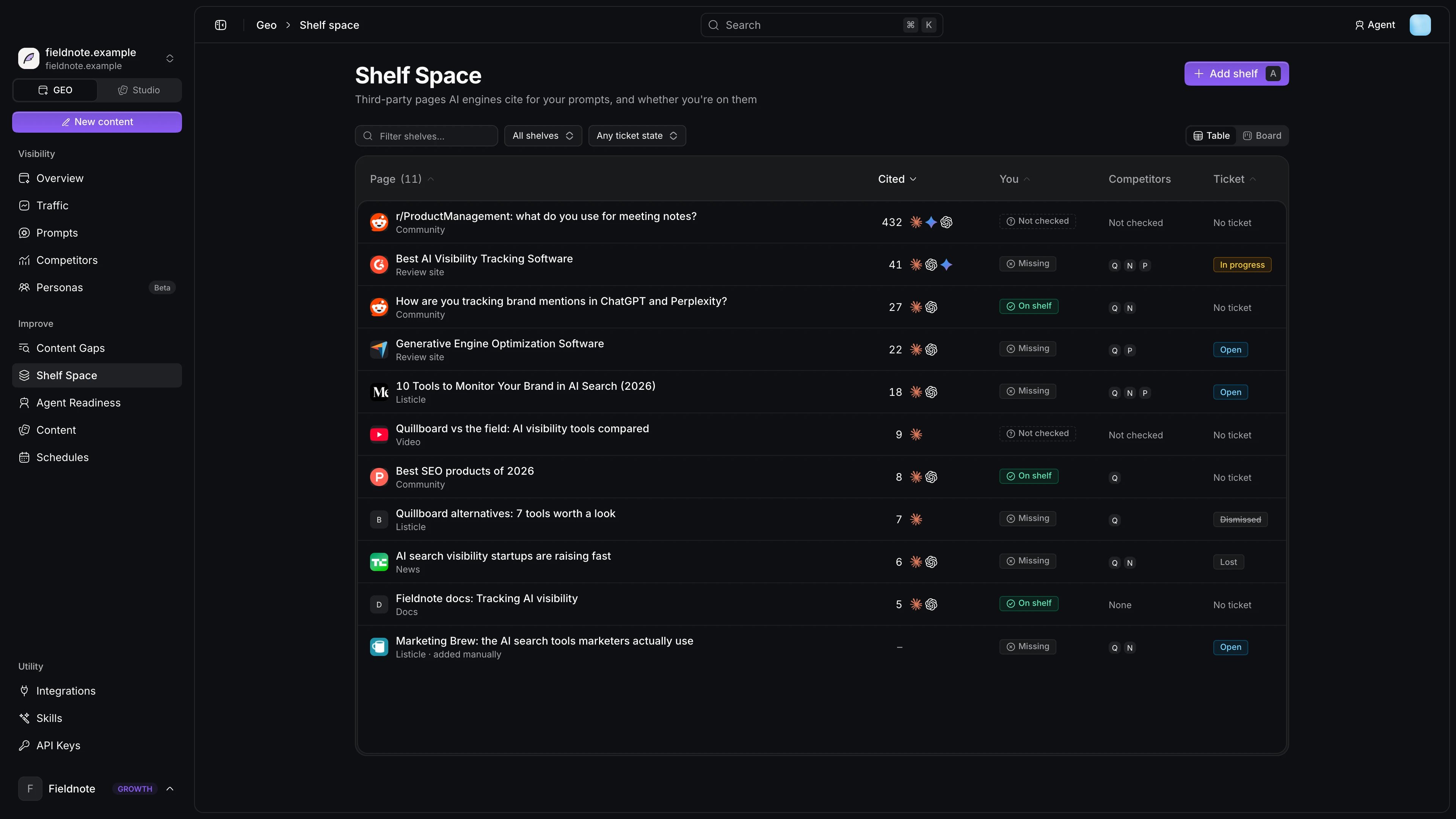
A shelf is a third-party page that engines cited while answering your tracked prompts. Each shelf shows:
  • The page and its kind, as described in Page kinds.
  • How many answers cited it, which engines cited it and when it was first and last cited.
  • Who is on the shelf: your brand and each tracked competitor, marked On shelf or Missing.
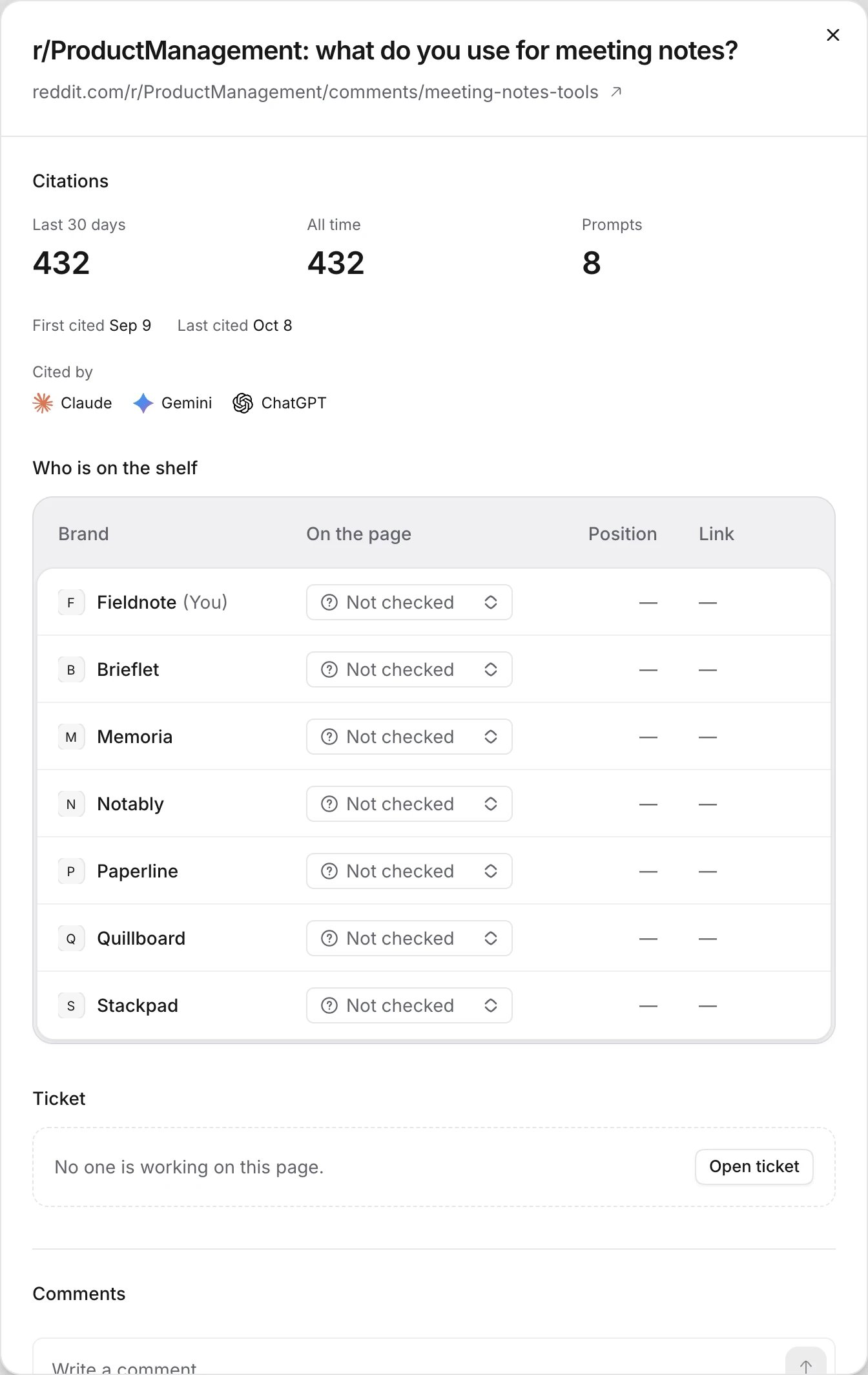
A shelf opened, showing citations and who is on the shelf A shelf opened, showing citations and who is on the shelf New shelves start with placement unknown. When you open the row and mark your brand and each competitor as On shelf or Missing, the badge changes to Marked by a teammate.

Work a shelf

1

Find an opportunity

Notra flags pages that list competitors but not you as opportunities.
2

Open a ticket

Open ticket assigns the page to a teammate with an optional due date.
3

Get listed

Pitch the editor, submit a review or join the thread, and move the ticket through Open, In progress, Won, Lost or Dismissed.
4

Confirm

Once your brand is on the page, mark it On shelf so later scans can show whether engines start mentioning you for the prompts that cite it.
You can filter the board by tickets assigned to you, unassigned tickets or closed tickets, and shelves without a ticket appear in the Untracked column. Add shelf tracks a page engines have not cited yet but you want to be on.

Page kinds

Notra sets the kind from the page’s domain.
Last modified on October 8, 2026